Table of Contents
If you love card games, then Tongits Wars is a thrilling mobile game that offers endless fun. But before you can start playing, it’s important to know how to download Tongits Wars APK safely. Downloading APKs from unofficial or unknown sources can expose your device to viruses, malware, and even data theft. By following a safe and trusted process, you can enjoy Tongits Wars without worrying about your device or personal information.
This guide will walk you through each step—from downloading the APK file to playing the game responsibly. By the end, you’ll be ready to enjoy Tongits Wars safely and securely, all from the official source, Buenas Ph.
What is Tongits Wars APK?
Tongits Wars is a digital version of Tongits, a popular Filipino card game. The game lets you compete with friends or players online, testing your strategy and skill. Some players download the APK version instead of installing it from the Google Play Store. An APK is the installation file for Android apps.
However, APKs downloaded from random websites can be dangerous. Knowing how to download Tongits Wars APK safely ensures you get the genuine app without risking your device. Using the official website, Buenas Ph, is the safest way to download the APK.
Why Safety is Important When Downloading APKs
When downloading any APK, security is the top priority. APK files from unverified sources can contain malware that steals personal data or damages your phone. Even apps that appear legitimate may be modified by hackers.
By downloading Tongits Wars APK safely, you protect your device from these risks. Using official sources like Buenas Ph ensures the file is authentic, regularly updated, and free from harmful code. Following a safe process is the first step toward enjoying Tongits Wars confidently.
Prerequisites Before Downloading Tongits Wars APK
Before downloading, there are a few things to check:
- Device Compatibility: Make sure your phone runs a supported Android version and has enough storage.
- Internet Connection: A stable connection ensures a smooth download.
- Enable Unknown Sources (With Caution): You may need to allow your device to install apps from sources other than the Play Store. This can be done in your phone’s security settings, but only after confirming the file is safe.
- Responsible Gaming: Consider where you will play and how long. Avoid installing the game on shared devices without permission, and set time limits for yourself to prevent overplaying.
Preparing your device properly ensures the installation is smooth and safe.
Step 1 – Visit the Official Website Buenas Ph

The safest place to get Tongits Wars APK is the official site: Buenas Ph. Many websites claim to provide APK files, but only the official website guarantees authenticity.
To download from Buenas Ph, open your browser and navigate to their official URL. Look for the Tongits Wars APK download page. The official site also provides the latest version of the game, reducing the risk of errors or outdated files.
By starting here, you take the first important step toward downloading Tongits Wars APK safely.
Step 2 – Download the APK File
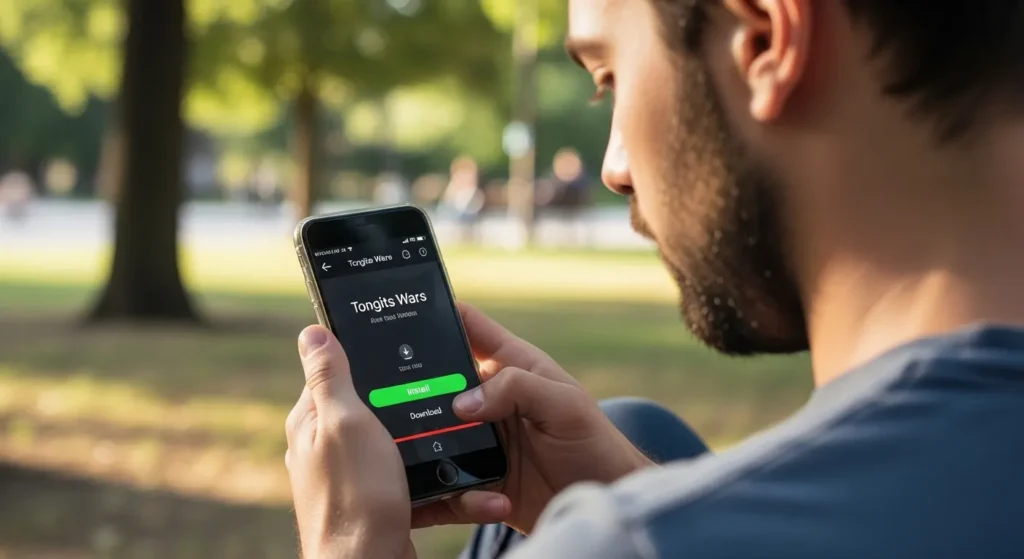
Once you are on Buenas Ph, click the download button for Tongits Wars. Before you start the download, check the following:
- File Size: Ensure it matches the size listed on the website.
- Last Update: Confirm the APK is the latest version to avoid outdated features or bugs.
- Network Safety: Use a secure Wi-Fi network or mobile data to prevent interruptions.
Remember, downloading from an official source and using a trusted connection is critical to ensure you download Tongits Wars APK safely.
Step 3 – Scan the APK File for Viruses
Even when downloading from Buenas Ph, scanning the file before installation is a good practice. Many Android devices have built-in security scanners, but you can also use third-party antivirus apps.
Open your antivirus app, locate the downloaded APK, and perform a scan. If no threats are found, you are ready to move on. This step ensures your device stays safe and secure, protecting your personal information.
Step 4 – Install the APK File
After scanning, it’s time to install the APK. Follow these steps:
- Open the folder where the APK is saved.
- Tap on the file to start the installation.
- If prompted, grant permission to install from unknown sources.
- Wait for the installation to complete.
During installation, avoid multitasking or opening other apps. Installing the APK properly is essential to enjoy Tongits Wars without crashes or errors.
Step 5 – Launch and Set Up Your Account
Once installed, open the game and follow the setup instructions. You can create a new account or log in with an existing one using social media accounts such as Google or Facebook.
Responsible gaming is important at this stage. Protect your personal information, choose a secure password, and avoid sharing login details with others. Proper setup ensures a smooth gaming experience and keeps your account safe.
Responsible Gaming While Playing Tongits Wars
Playing responsibly is as important as downloading safely. Set limits on your daily playtime, avoid betting real money excessively, and take regular breaks. Buenas Ph emphasizes safe and responsible gaming, helping players enjoy the fun without risks.
Remember, downloading Tongits Wars APK safely also includes maintaining safe gaming habits. Balance your game time, manage your in-game spending, and stay mindful of how much time you spend online.
Common Mistakes to Avoid When Downloading APKs

To download Tongits Wars APK safely, avoid these common errors:
- Downloading from unknown websites.
- Ignoring antivirus alerts.
- Installing APKs on rooted or unprotected devices.
- Skipping setup steps or ignoring app permissions.
By avoiding these mistakes, you ensure a secure installation and a better overall experience with Tongits Wars. Want to read more contents like this? Then, “Powerful Tips to Master How to Split Your Pai Gow Online Hand Correctly and Avoid Costly Mistakes” is for you.
Conclusion
Now you know the complete process of how to download Tongits Wars APK safely. From visiting Buenas Ph to scanning and installing the APK, each step ensures your device and personal information remain protected.
With the game installed, you can dive into exciting matches, challenge friends, and enjoy all the features Tongits Wars offers. Remember to play responsibly, manage your game time, and have fun. By following these steps, you can enjoy Tongits Wars without worry, fully confident in the safety of your download. Join us today!
Frequently Asked Questions (FAQ’s)
Is Tongits Wars APK safe to download?
Yes! Tongits Wars APK is safe as long as you download it from the official source, Buenas Ph. Avoid third-party websites that may host modified files, which can contain malware or viruses. Always scan the APK file with antivirus software before installation to ensure complete safety.
Can I install Tongits Wars APK on any Android device?
Most Android devices are compatible, but you need to check your device’s Android version and available storage before downloading. Tongits Wars requires a stable internet connection and enough space for smooth installation and gameplay.
How do I enable my device to install the APK?
To install Tongits Wars APK, you may need to allow installation from unknown sources. Go to your phone’s security settings, enable this option, and then proceed with the installation. Always ensure the APK file is from a trusted source like Buenas Ph before enabling this setting.
What is the difference between the APK and Play Store versions?
The APK version lets you download and install the game directly without relying on the Play Store. This can be useful if the game is not available in your region or if you want the latest updates from the official site. However, downloading from Buenas Ph ensures you get the authentic version safely.
How can I play Tongits Wars responsibly?
Responsible gaming is key to enjoying Tongits Wars safely. Set time and spending limits, avoid playing when distracted, and take breaks regularly. The official site Buenas Ph also encourages players to follow safe gaming practices to maintain a fun and stress-free experience.


